
Legal Play Paths + Save Care
How to Play Legend of the River King 2 Today
Pick a legal way to run the Game Boy Color fishing RPG: original cartridge hardware, a historical 3DS Virtual Console purchase, save-battery care, and achievement options—without ROM download instructions.
- Fish
- 104
- Maps
- 8
- Gear
- 59
- Cart type
- MBC5 + batt.
Start here
Legal ways to play in 2026
If you are looking for a ROM, free download, or browser copy, stop here: those paths are copyright-sensitive. Use ownership-based options instead.Primary
Original cartridge
Buy or keep a legitimate Game Boy Color cart. The USA dual-mode release plays on original Game Boy through Game Boy Advance hardware and Super Game Boy.
- Label target: DMG-BRKE-USA
- Black dual-mode shell is expected for NA
- Ask sellers for a real save-retention test
Historical
3DS Virtual Console
Nintendo released the GBC game on 3DS Virtual Console (NA 2014-09-18; EU/AU 2014-10-23). New eShop purchases are closed; prior owners can redownload purchases already on their account.
- Requires a 3DS family system still signed into that account
- Region and account must match the original purchase
- Not a path for first-time buyers after eShop closure
Preservation
Owned dump + emulator
If local law allows you to dump a cartridge you own, many people use that dump with a compatible emulator for saves, upscaling, or RetroAchievements. This site does not provide dumps or dump-how-to steps.
- Keep the physical cart as proof of ownership
- Back up battery and emulator saves often
- Do not distribute your dump
Avoid
“Play online free” sites
Free browser hosts almost always serve unauthorized copies, may inject ads or malware, and can break mid-session. They also skip cartridge authenticity and battery education you need as a collector.
- No official free browser release
- Poor save reliability
- Use a path you can defend legally and practically
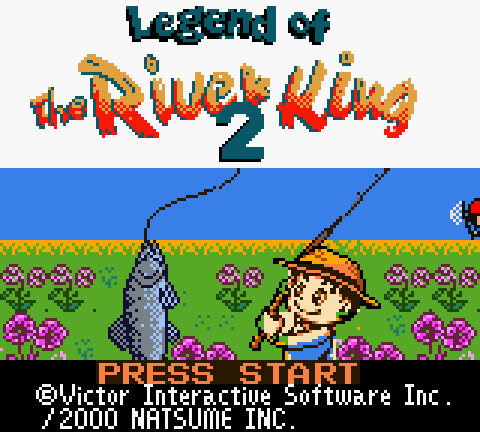
RIVER KING2BRKE). Play from a copy you own.Interactive decision tool
Play Path Advisor
Answer five questions. The tool recommends a legal play path, save checklist, and next field-guide page—without suggesting ROM downloads.Your result
Answer the five questions
A recommended path will appear here.- Primary setup
- —
- Save checklist
- —
- Avoid
- —
- Next page
- —
This tool only ranks ownership-based options. It never points to ROM hosts.
Original hardware
Cartridge setup that actually works
The USA cart is dual-mode and Super Game Boy enhanced. Clean contacts and a live battery matter more than a fancy modern flash cart.Internal title
RIVER KING2BRKE
Header title field used by the dual-mode US release.
CGB flag
0x80
GBC enhanced, original Game Boy compatible.
SGB flag
0x03
Super Game Boy functions supported.
Mapper
0x1B
MBC5 + RAM + battery (1 MiB USA cart).
Hosts that accept the cart
- Game Boy / Game Boy pocket (monochrome mode)
- Game Boy Color (native color presentation)
- Game Boy Advance / SP (backward compatibility)
- Super Game Boy on SNES / Super Famicom
- Game Boy Player on GameCube
First-session checklist
- Clean the edge connector with isopropyl alcohol if boots are flaky.
- Create a new save file, power fully off, then reload it.
- Confirm you can leave the first fishing zone and return without a softlock.
- Note Kid vs Teen: the opening map and first trade differ.
- Open the fishing guide before grinding—bite timing is the real skill gate.
Buying used? Black shell + DMG-BRKE-USA is the NA baseline, not full proof. Cross-check with the price & authenticity guide.
Official digital history
3DS Virtual Console: what still applies
Virtual Console was the legal digital path for years. After the 3DS eShop closed to new purchases, it remains useful only if you already own the title on that account.| Region | 3DS VC release | What you can do now |
|---|---|---|
| North America | September 18, 2014 | Redownload only if the purchase is already on your Nintendo Account / NNID for that region. |
| Europe | October 23, 2014 | Same redownload rule; EUR board reports of “does not work” are usually account, region, or system transfer issues—not a missing cart. |
| Australia | October 23, 2014 | Follow the same eShop purchase history path as other EU/AU 3DS titles. |
| New buyers | eShop closed | Use a physical cartridge or other rights you already hold. Do not treat abandoned free hosts as a substitute storefront. |
If your 3DS EUR copy “does not work”
Confirm the system is signed into the account that bought the game, the region matches, the software is fully redownloaded, and the 3DS system software is current enough for that title’s VC shell. A missing purchase on the account cannot be fixed by swapping carts or copying random files from the internet.
Battery-backed progress
Save files, batteries, and emulator saves
Progress lives in battery-backed RAM on the cartridge. Emulators store progress as separate save files—back both up before experiments.Only proves the cart starts. Useless alone for multi-day routes.
Shows write worked during that powered session.
The real test: power fully off, wait, then load the same slot.
Copy the cart dump save or emulator .sav before GameShark experiments.
Cartridge saves
- Dead battery often looks like “the game works” until you turn it off.
- A clean battery swap is normal maintenance for players.
- Preservation collectors may prefer original solder until they accept a repair.
- Never leave a leaking battery unattended in a collection.
Emulator / RetroArch-style saves
- Keep the save file with the ROM you are allowed to use—do not mix mismatched dumps.
- Export or copy the battery save before switching cores or devices.
- If a save fails to load, try the same core and same dump hash first.
- This guide does not provide save files or ROM hashes for distribution.
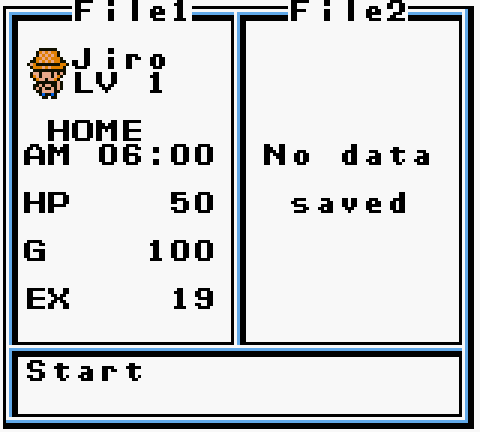
Optional goals
Achievements without losing the plot
RetroAchievements maintains a community set for the Game Boy Color release. Treat it as optional challenge content on top of a legal dump—not as a reason to download unauthorized ROMs.When achievements help
- You already finished (or nearly finished) the Kid or Teen route.
- You want structured goals for fish memos, maps, and king gates.
- You are comfortable managing emulator saves and backups.
When to skip them first
- You still cannot land fish on the continuous bite tone.
- You have not decided Kid vs Teen for your first file.
- You only have a battery-risk cart and no backup plan.
For progression without meta-goals, use the walkthrough, fish database, and fishing guide.
Technical notes
Compatibility, color, and what not to chase
Color modes
On GBC and later color hosts you get the full palette presentation. On original Game Boy the same dual-mode cart still plays, with monochrome rendering.
Super Game Boy
SGB flag 0x03 marks Super Game Boy support. Palette and border behavior depend on the SGB hardware and host; none of that is required to finish the game.
Rumble / modern adapters
Rumble adapters and unofficial patches are optional experiments, not features of the stock USA cart. Get a stable save path working first.
Emulator cores
Prefer well-maintained Game Boy Color cores that preserve audio timing—the fishing loop is audio-driven. If bites feel wrong, check core accuracy and audio latency before blaming the game.
Quick reference
How-to-play FAQ
How do I play Legend of the River King 2 today?
Use an original cart on licensed hardware, redownload a 3DS VC purchase you already own, or—where legal—an owned dump in a compatible emulator. Skip unauthorized free hosts.
Is there still a 3DS eShop page to buy it?
New purchases ended with the 3DS eShop closure. Existing owners can redownload; first-time buyers should look at physical copies instead.
Can I play it online for free?
Not through any official free browser release. Free “play online” pages are not a recommended legal or practical path.
Why did my save disappear?
On cartridge, a dead battery is the usual cause. On emulator, a core change, wrong dump, or missing battery save file is more likely.
Do I need LotRK 1 first?
No. River King 2 is self-contained. Play 1 later only for series curiosity.
What should I do after the game boots?
Pick Kid or Teen, learn the continuous bite tone, and follow the walkthrough for your route’s first exchange upgrade.