
RTC · Clock reset · Original GBC
Change time with the clock reset password
Original Pokémon Gold and Silver keep a real-time clock for morning, day, and night. When you need a new weekday or hour on cart, Virtual Console, or an emulator, use the title-screen password (Trainer ID + name + money), then set the clock on Continue—not HeartGold/SoulSilver remakes.
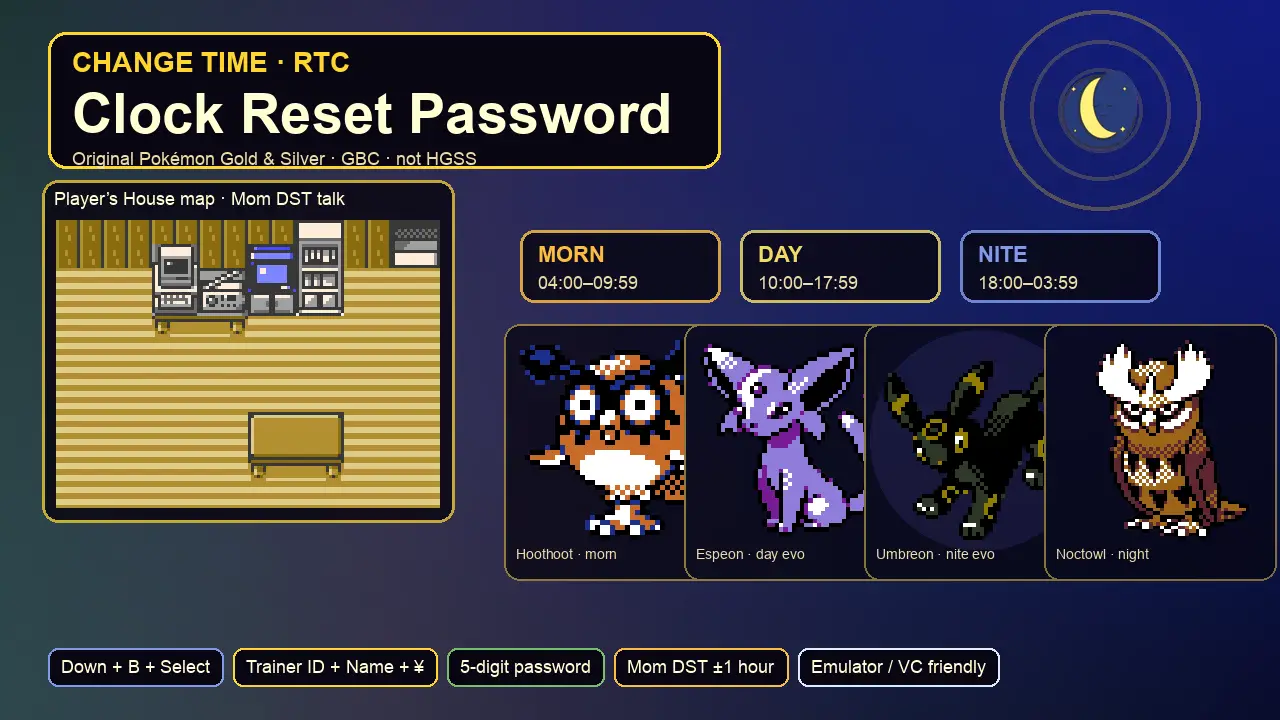
Fast answers
What you need in one minute
Read your Trainer ID and money from the Trainer Card, note your exact trainer name spelling, run the calculator, then hold Down + B + Select on the title screen to open the reset flow.
Interactive tool
Clock reset password calculator
The title-screen password is a five-digit code built from your Trainer ID, the first five letters of your trainer name, and your current money. Use the period helper below to aim for morning, day, or night after you Continue.
Enter this five-digit code on the title-screen reset prompt.
Hour 10 falls in Day (10:00–17:59).
Title screen
Reset the clock safely
What goes into the password
- Trainer ID — the five-digit ID on your Trainer Card (0–65535)
- Name — exact spelling; only the first five characters count (longer English names ignore letters 6–7)
- Money — current pocket money, up to ¥999,999
- Result — always enter five digits with leading zeros when needed
Do not confuse with
- Up + B + Select — delete save data (dangerous)
- Buena’s Password — Crystal radio show only
- Lucky Number Show — Radio Tower lottery OT IDs
- HGSS remakes — different clock UX
When money changes
Buying, selling, Mom banking, or whiteout payouts change the money bytes. Recalculate immediately before you soft-reset if you spent anything after reading the card.
Broken RTC overflow
If the cartridge day counter overflows, Continue can open a free “clock may be wrong” editor without the secret code. That path still uses the same morning/day/night bands after you confirm.
Time of day
Morning, day, and night bands

Morning · 04:00–09:59
Grass tables use morning slots. Friendship Eevee → Espeon on level-up in morning or day (with 220+ friendship). Morning Sun heals more in this band.

Day · 10:00–17:59
Default “day” wild tables and outdoor palettes. Same Espeon window as morning for friendship evolution. Synthesis peaks in sunny daytime weather when applicable.


Night · 18:00–03:59
Night grass tables, Officer battles, and Eevee → Umbreon. Moonlight heals more at night. Many players reset specifically into this band for exclusives.
Weekday events still matter
Setting hour alone is not enough for Friday Lapras, Bug-Catching Contest days, or Lucky Number refresh planning. Pick the weekday carefully on the post-password clock screen.
| Band | Clock hours | Switches at | Common reasons to aim here |
|---|---|---|---|
| Night (late) | 00:00–03:59 | Still night until 04:00 | Night exclusives, Umbreon, officers |
| Morning | 04:00–09:59 | 04:00 | Morning grass slots, Espeon |
| Day | 10:00–17:59 | 10:00 | Day tables, Espeon window continues |
| Night (evening) | 18:00–23:59 | 18:00 | Night tables, Umbreon, evening wilds |
New Bark Town
Mom’s DST ±1 hour shift
Talk to Mom for a one-hour nudge
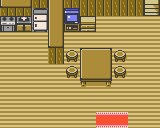
After the early story lets Mom handle money and Pokégear talk, she can ask about Daylight Saving Time. Accepting DST moves the clock forward one hour; turning DST off moves it back one hour.
When she refuses
The script blocks DST toggles that would cross midnight and change the weekday (hour 23 without DST, or hour 0 while DST is on). Shift with the full password reset if you need to jump across that boundary.
- Use Mom for tiny band fixes (17:30 → 18:30 night)
- Use title password for weekday jumps and large hour changes
- Fruit trees, contests, and lottery still follow the resulting clock
Pair with friendship timing
Need Umbreon but it is 17:40 day band? Mom’s +1 hour can land you in night without a full reset—if you are not stuck on a midnight edge case.
Key item context
Pokégear is already on your belt from Mom at the start. Radio and map cards unlock later—they do not replace the RTC password or DST talk.
Modern play
Cartridge, emulator, and Virtual Console
Original GBC cartridge
- Hardware RTC chip + battery keep real time while powered off
- Title password is the intentional in-game way to re-set day/time
- Dead battery stops the clock advancing between sessions
Emulators with RTC
- Prefer cores that advertise Gen 2 RTC (many modern GBC cores do)
- Some frontends expose a host-clock or RTC editor—still validate in-game bands
- If the core freezes time, title password + Continue re-seed is the reliable in-ROM path
- Keep save + RTC state together when backing up files
3DS Virtual Console (historical)
- VC titles followed the 3DS system clock for RTC progression
- Changing system time advanced or rewound in-game daily events
- Title password still works on the emulated ROM if you prefer in-game control
What this page will not do
- No ROM download or piracy steps
- No save-file hex editing instructions
- No HGSS / 3DS remake clock menus (different games)
| Goal | Best path | Site tools to open next |
|---|---|---|
| Night exclusive grass mon | Set hour ≥ 18 or < 4 | Night / morning list, Wild locations |
| Friday Lapras | Weekday Friday + any hour in cave | Lapras guide |
| Bug-Catching Contest | Tue / Thu / Sat | Contest guide |
| Lucky Number week | Desk cycle toward Friday refresh | Lottery matcher |
| Espeon vs Umbreon | Friendship 220+ then morn/day vs night level-up | Eevee guide, Friendship |
Tracker
Change-time checklist
Saved in this browser only. Finish the password inputs before soft-resetting.
0 / 8 complete
FAQ
Clock and RTC questions
Why is my password rejected?
Recheck money after any purchase, confirm Trainer ID digits, and match the name’s letter case. Only the first five name characters are hashed—longer English names still ignore the sixth and seventh letters. Leave leading zeros when typing five digits.
Can I change time from the Options menu?
No. Options cover text speed, battle scene, sound, and frame. Time is set at new-game start, via Mom’s DST talk (±1 hour), via title-screen password reset, or via RTC overflow recovery on Continue.
Is Buena’s Password the same thing?
No. Buena’s Password is a Crystal-only radio points feature. Original Gold and Silver never ship the Blue Card show. Use this clock password for RTC, and the Lucky Number desk for Radio Tower prizes.
Will roaming beasts or daily flags break?
Roamers keep their own map logic; changing the clock does not “delete” them. Daily and weekly event flags advance with the new clock, so fruit trees, contests, and lottery timing follow whatever day you set.
Is this HeartGold / SoulSilver?
No. This page models original Game Boy Color Gold and Silver only. Remakes change menus and presentation—keep HGSS guides separate.
Play tips
Practical RTC habits
Plan the weekday first
Hour fixes Espeon/Umbreon and grass tables; weekday unlocks Lapras, contests, and ship schedules. Set both on the post-password screen.
Prefer Mom for ±1 hour
If you only need to slip from late day into night, Mom’s DST talk is faster than a full title reset.
Recalculate after shopping
Money is part of the hash. Grab the password, then soft-reset without spending.
Never hit Up + B + Select
That combo opens delete-save, not clock reset. Muscle memory belongs on Down + B + Select only.
Keep going